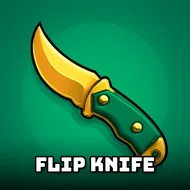
Flip Knife
Instructions:
Swipe to throw the knifeDescription
Flip Knife Competitive-Style Breakdown
Winning Strategies
- Watch the rotation speed before you swipe, not after. Every blade spins at its own pace, and eyeballing that rhythm for half a second saves you from a wasted throw.
- Short, controlled swipes land cleaner sticks than a wild flick across the screen. The temptation is to slash hard every time, but a soft, deliberate motion actually gives you more say over where the tip ends up.
- Don't chase every target the second it appears. Some boards reward patience more than speed, so let the knife settle in your hand, mentally, before committing.
- Bank easy sticks first to build momentum. A couple of confident hits early on tends to steady the swipe motion for trickier attempts later.
- Keep an eye on new blade unlocks. Heavier knives stick differently than thin ones, so switching things up occasionally teaches you flick patterns you'll need down the line.
Controller & Keyboard Guide
- This one's built entirely around swiping, so a touchscreen or mouse-drag motion is the whole game, there's no keyboard combo hiding underneath it.
- On desktop, click and drag in one smooth motion rather than clicking and releasing instantly. That little bit of drag distance is basically your power meter.
- Mobile players get the more natural feel here honestly, since flicking with a thumb mimics the actual wrist snap of a knife throw pretty well.
Difficulty ramps up gently at first, almost lazily, then starts throwing tighter angles and faster spins once you've got a handful of knives collected. New players will land sticks within the first couple of rounds, no real barrier to entry there. But chasing a long streak without a single bounce-off? That takes real timing, and the game doesn't hold your hand once the boards get busier. It's the kind of casual difficulty curve that rewards fifteen extra minutes of practice far more than it should, in the best way.