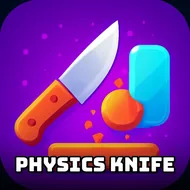
Physics Knife
Instructions:
Touch MouseDescription
Physics Knife Casual Fun Guide
There's something weirdly satisfying about chucking a virtual blade and watching it wobble through the air like it actually has weight. Physics Knife isn't trying to reinvent anything complicated — it just wants you to flick a knife, watch it spin, and see if you can stick the landing. No health bars, no timers breathing down your neck, just you, gravity, and a blade that behaves like it's genuinely made of steel.
Why You Should Play
- The knife tumbles and rotates based on how you throw it, not some scripted animation, so every toss feels a little different.
- Once the knife gets old, you can switch over to an axe or a shuriken, and each one moves through the air with its own quirks.
- It's built for quick sessions — perfect for a five-minute break or an hour-long rabbit hole, depending on how competitive you get with yourself.
- The arcade pacing keeps things light, so you're not stuck memorizing complicated systems before you can actually have fun.
- Watching the physics engine handle spin and momentum honestly never really gets old, even after dozens of throws.
Controller & Keyboard Guide
- On desktop, the mouse handles everything — click and drag to set up your throw, then release to send the blade flying.
- On mobile or tablet, touch controls mirror the same motion, so tapping and swiping feels just as natural as using a mouse.
- There's no keyboard input needed here, which keeps the learning curve almost nonexistent — you're playing within seconds.
- Pay attention to the angle and speed of your drag, since a lazy flick barely rotates the knife while a sharp motion sends it spinning wildly.
- Switching weapons doesn't change the control scheme, so once you've got the knife down, the axe and shuriken should feel familiar right away.