Noob Vs Ace But Knife Hit Minecraft
Instructions:
Controls on PC 1 player Pro Z key - shoot knife 2 player Noob Up arrow - shoot knife In two-player mode shoot knives in turns In single-player mode shoot by pressing the up arrow Controls on Mobile Tap the screen to shoot a knifeDescription
Noob Vs Ace But Knife Hit Minecraft Complete Guide
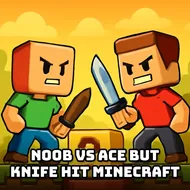
This one takes the old knife-throwing arcade formula and slaps a blocky Minecraft skin on it, then throws in a rivalry between a Noob and a Pro for good measure. It's a 2D darts-style throwing game where logs take the place of targets, and instead of darts you're chucking sharp knives at them until the wood runs out. There's a single-player ladder with over twenty stages plus a batch of bosses, and a two-player mode where you and a friend take turns trying to out-stick each other on the same log.
Top Tips
Timing is basically everything here, so don't just mash the button the second a knife lines up with the log. Watch the spin on those workbenches, because some of them rotate and some don't, and throwing at the wrong moment against a spinning one is how you waste a hit for nothing. The sand blocks crumble easily, so if a level throws fragile terrain at you, treat those spots as bonus opportunities rather than obstacles to avoid. Against bosses, patience wins more often than speed, since a lot of them punish greedy button-mashing with a knife bouncing right back off at a bad angle. In two-player mode, pay attention to your opponent's rhythm too, since matches often come down to who blinks first under pressure rather than who's technically more accurate.
Standout Features
- Two-player mode where Noob and Pro alternate knife throws on the same target
- Single-player campaign with more than twenty distinct level layouts
- Ten boss fights that mix up the usual log-throwing routine
- Spinning and stationary workbenches that change how you time each throw
- Fragile sand blocks that crumble and force quick adjustments mid-level
- Simple one-button controls on both PC and mobile, so anyone can pick it up fast